


BIM: Building Information Modeling

What is BIM?
BIM software helps architecture, engineering, and construction teams create high-quality, sustainable buildings with efficiency and flexibility. We offer free downloads of BIM objects for Revit®.
Building Information Modeling (BIM) facilitates decision-making throughout the entire lifecycle of a construction project. Improved, process-driven collaboration involves collecting and managing data that enables simultaneous coordination and reporting of work to all stakeholders. BIM objects allow for precise planning and analysis of digital design. Furthermore, they provide component data that forms the basis of operational efficiency. All stakeholders involved in planning benefit from data-rich BIM objects, which contain essential information such as interdependencies, interactions, geometry, classes, and attributes, within a unified project environment.
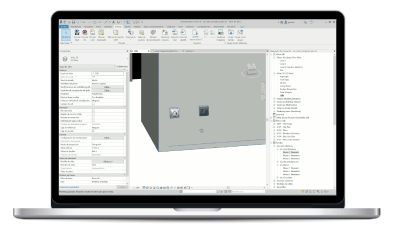
Revit® Libraries for Design Planning, LOD 350
Select BJC and SIEMENS mechanism families in just a few clicks.
By downloading the BIM family libraries, you can place and manage BJC and Siemens switch series directly in your Revit® project. Schedule changes are automatically updated in sections, views, and schedules. The Revit® families include updated BJC and Siemens-specific data such as references, GTINs, and other relevant information.
DESIGN AND COMBINATION
You can create color combinations for frames, keys, and covers. You can also choose between 1, 2, and 3-gang frames, and position functions (such as switches, sockets, or communication ports) according to your needs, and define the mounting height.
THE MOST RELEVANT FUNCTIONS OF THE BJC SERIES: IRIS, IRIS PLUS, AND SIEMENS: MIRO AND STYLE
Setting up the switch series is quick and easy: choose a series (Revit family) and a finish (color) for that series, then choose the frame type based on the number of elements required in 1, 2, or 3 positions and the room. Next, add the required function (for example, in the bedroom, a two-gang frame with a two-way switch and a grounded socket with a dual USB charger, or other functions) from the library. You will get the correct labeling for each function on the plan.
POSSIBILITY OF CHANGING THE CHOSEN SERIES AT ANY TIME
If you need to replace existing mechanisms in a project, you can download the corresponding family and then select the components you want to change. This feature allows you to modify multiple instances of the same configuration simultaneously, whether in 2D or 3D plans, or even from schedules.
INCLUDE FLUSH-MOUNTED BOXES FOR EACH PROJECT
You decide whether you want to install the series on a hard wall (brick type) or a hollow partition (plasterboard type). For each case, you can choose and include the necessary recessed boxes for your project.
BIM objects are digital elements that can be used in Revit® software to create intelligent 3D models and generate detailed construction documentation. BJC and Siemens BIM objects contain all relevant product information, such as material, dimensions, and performance, enabling flexible combinations of frames and mechanisms and more precise planning. These BIM objects can be combined seamlessly within the software interface, and design changes are automatically reflected in all planning representations. Furthermore, precise quantities of parts and order lists can be generated directly from the software.